Clean up resources
To delete the resources we created during this workshop, we will do the following.
Disable Macie
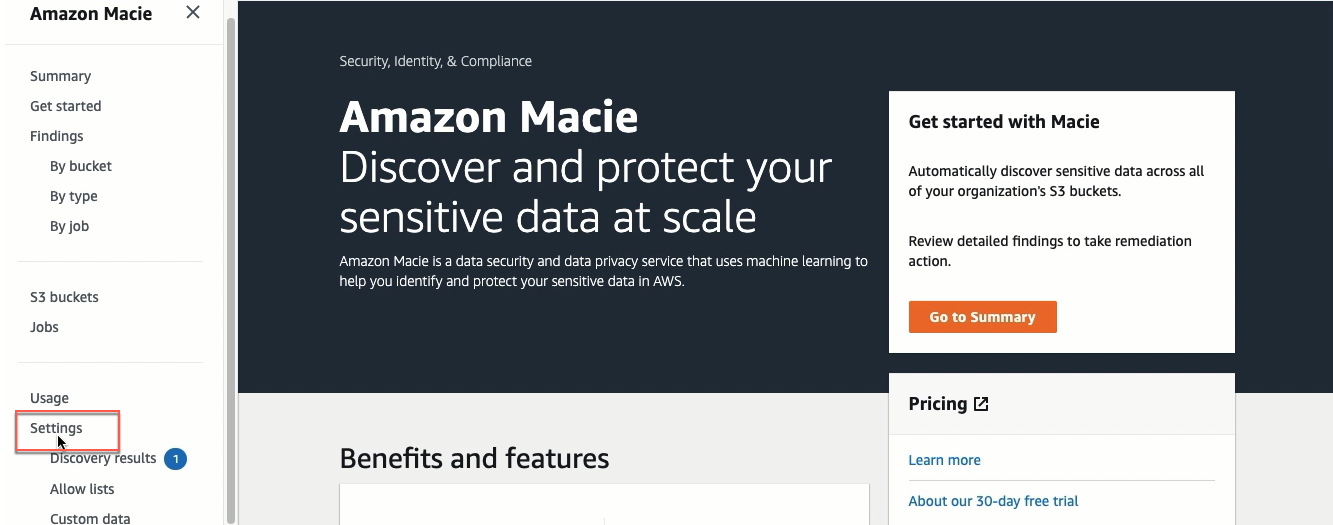
- Open the Amazon Macie console, click Settings.
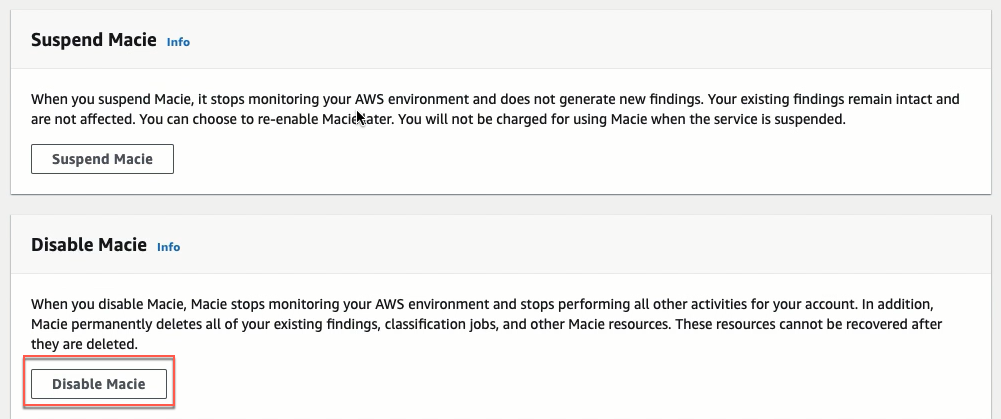
- Click the Disable Macie button.
- Type
Disableand then click Disable.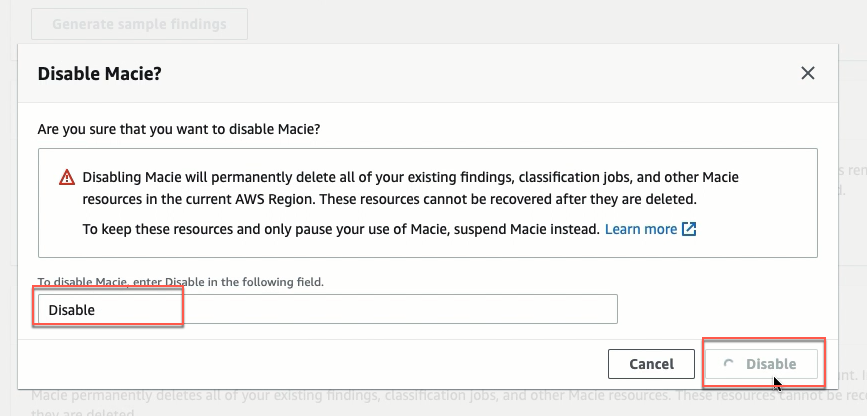
Delete the S3 bucket
- Open the Amazon S3 console. Select the S3 bucket named maciehandsondemo193, click Empty.
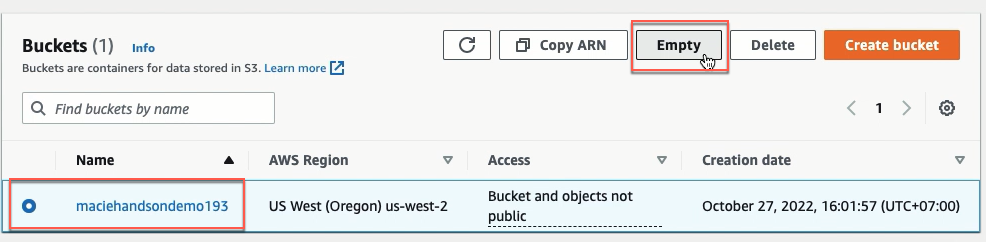
-
Type
permanently deleteand click Empty.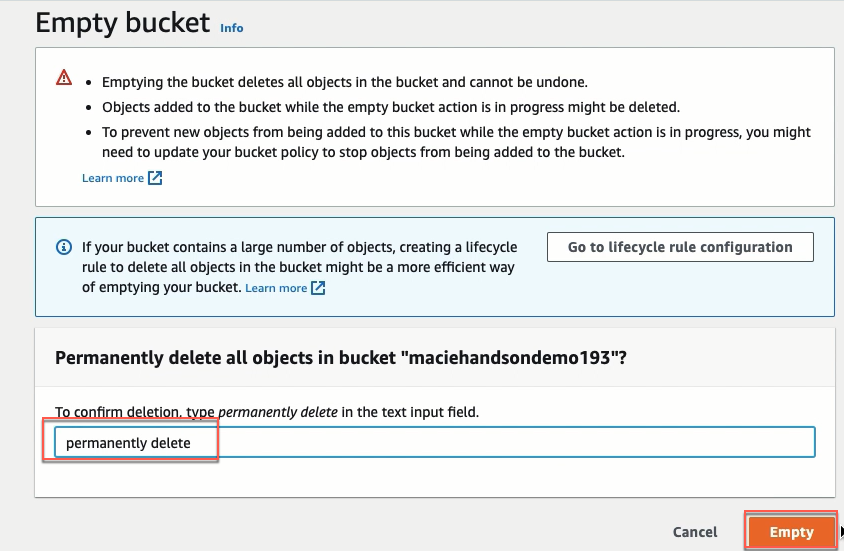
-
Select the S3 bucket named maciehandsondemo193, click Delete.
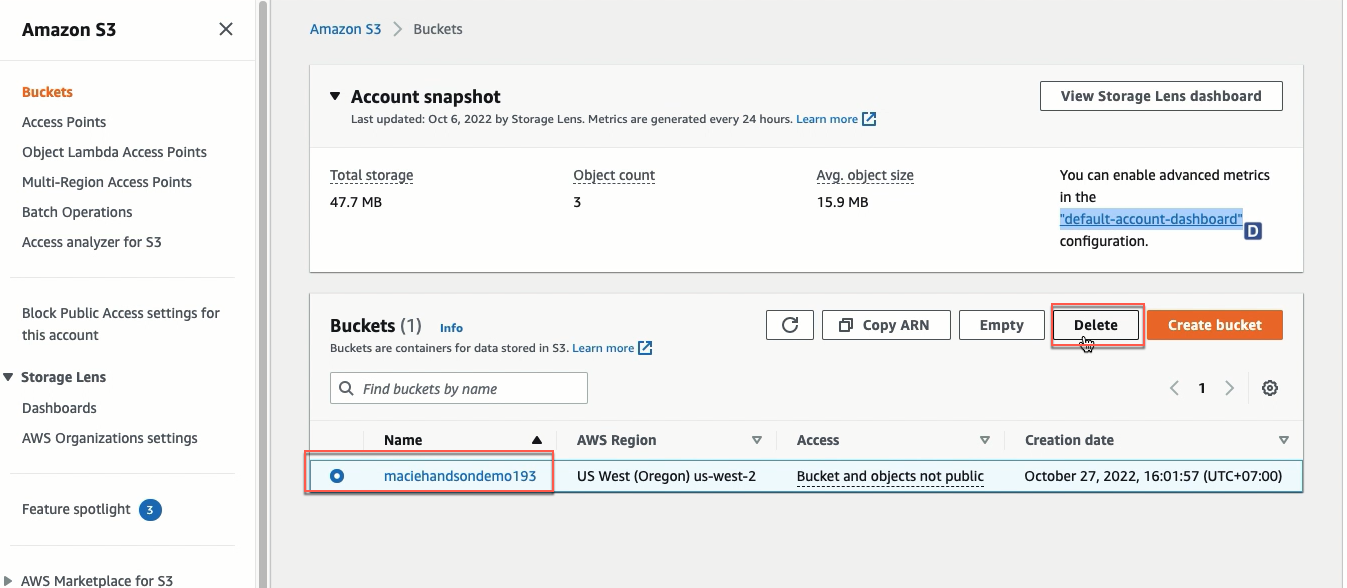
-
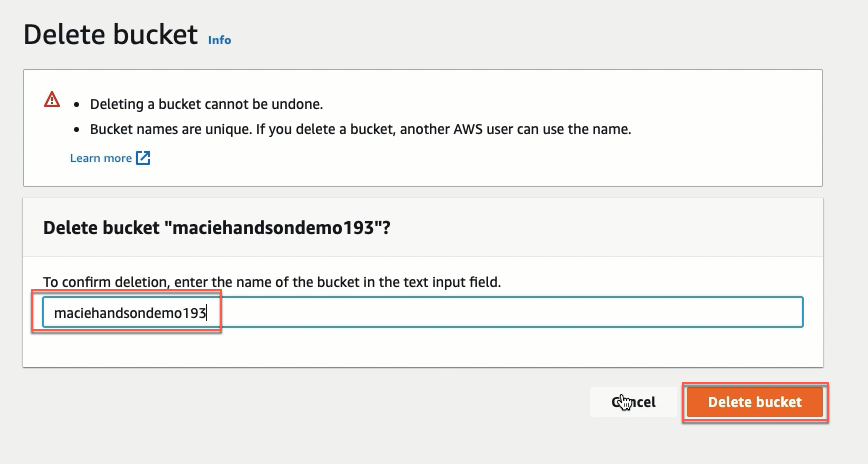
Type
maciehandsondemo193and click Delete bucket.